The structure inside ERPsyncd, and the four rules that keep a business group’s payroll from going quietly wrong.
One customer, three employers
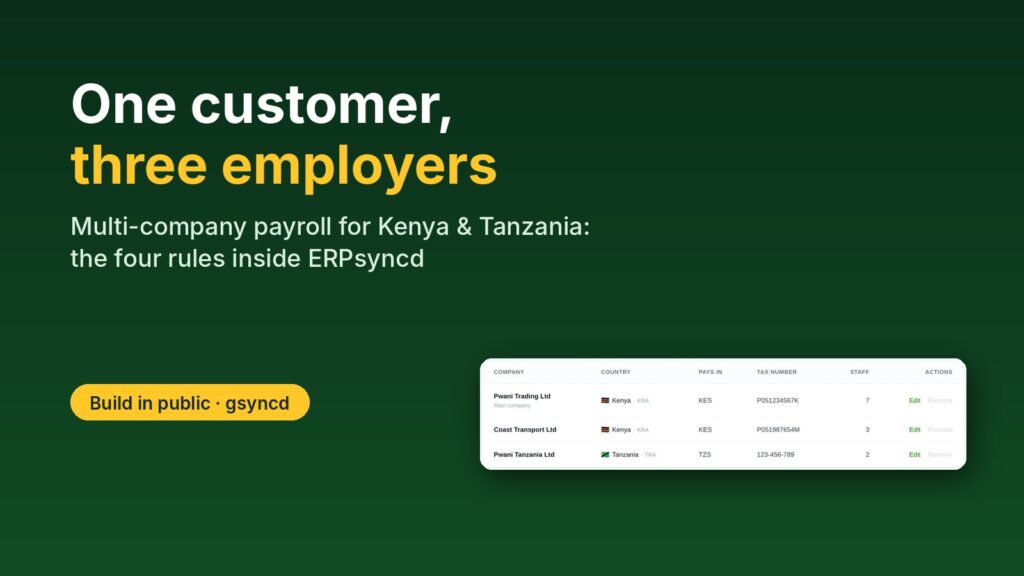
Many businesses in East Africa aren’t one company. A family group might run a trading company in Mombasa, a transport company in Nairobi and a branch in Dar es Salaam. To me, that is one customer: one contract, one owner, one login. To the tax authorities it is three employers: three names, three tax PINs, two currencies and three sets of monthly returns.
When I started ERPsyncd, one customer meant one company. The payslip header, the KRA PIN and the currency all came from the customer’s account, because there was only ever one of each. That shortcut breaks the moment a group wants to run all its companies from one place.
This post is about the multi-company structure I built instead, and the rules I learned the hard way.
The structure: account, companies, branches
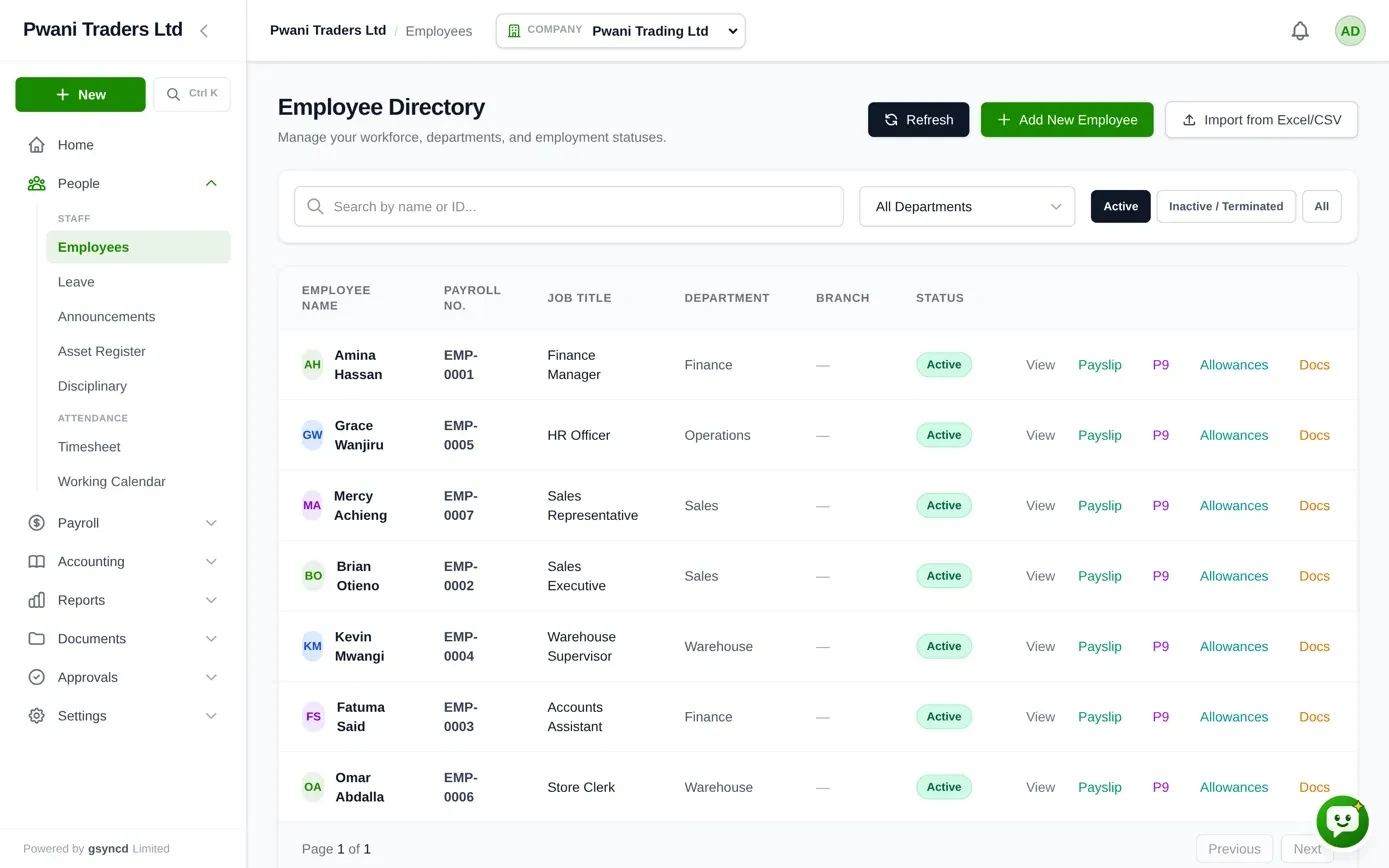
At the top is the account: one customer, one contract. Under it sit the registered companies, the legal employers, each with its own name, country, currency and tax number. Inside each company are its branches and departments, and inside those, its employees. Logins belong to the account, and their access decides what each person sees in every company.
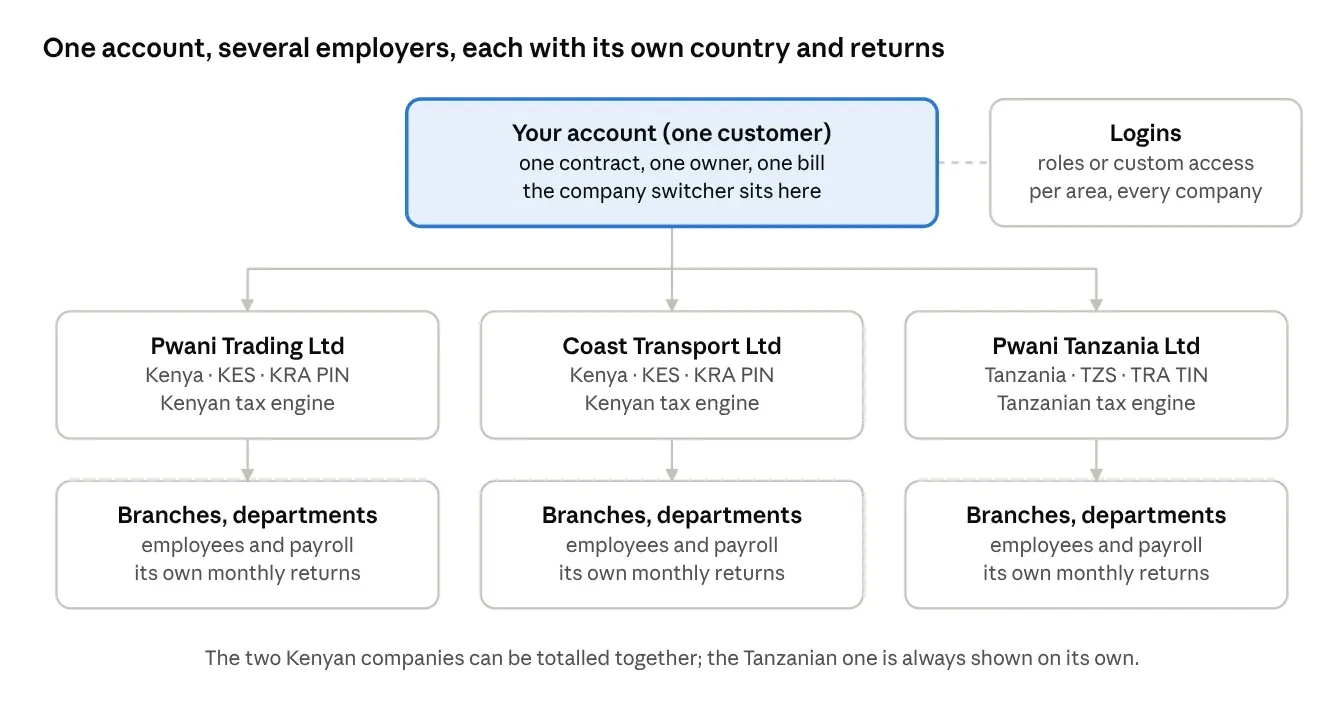
The example group above has two Kenyan companies and one Tanzanian one. Everything below follows from keeping those levels honest.
Rule 1: the country lives in one place
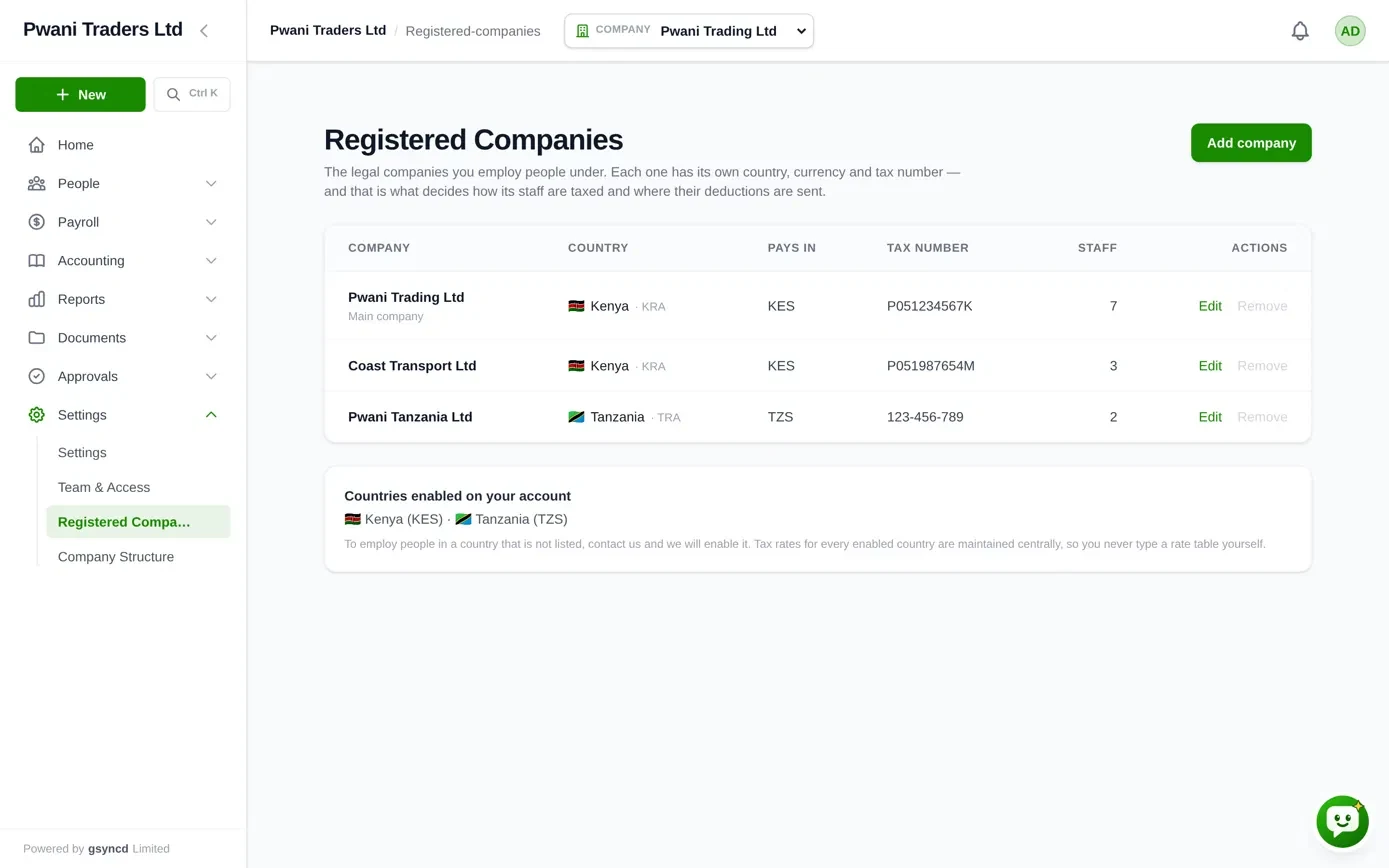
Each registered company carries its country, and the country decides which tax engine prices its staff: Kenya, Tanzania or Pakistan today. An employee’s country is simply their employer’s country. A payroll run’s country is its company’s country. It is stored once, so it can never disagree with itself.
And when ERPsyncd meets a country it has no tax engine for, payroll stops and says so. It does not fall back to Kenya. “Default to Kenya” sounds harmless in code, but it is exactly how a Tanzanian employee ends up with a Kenyan tax bill.
Rule 2: never add two currencies together
Adding 400,000 KES to 1,500,000 TZS gives you a number that is not money. Put either currency in the heading and it is wrong about half the rows.
So the company switcher at the top of every screen offers “All companies” only when every company shares a country and a currency. Two Kenyan companies can honestly be totalled, and a director will want the group figure. A Kenyan and a Tanzanian company can’t, and the payroll register refuses that sum outright instead of printing it.
I learned this one from my own code. An early version of the what-if simulator (“what does an 8% raise cost?”) priced every employee with Kenya’s tax engine and added the results together. A Tanzanian employee was being costed under Kenyan law, in the wrong currency, under one heading. Today each scenario covers one company, with its own engine and its own rates.
Rule 3: moving branch is a transfer; moving company is a new job
Staff move. Someone works in Mombasa until 20 October and in Nairobi from the 21st. Which branch pays for October?
ERPsyncd’s answer is the last-day-of-month rule: a month’s whole cost goes to the branch the person is in on the last day of that payroll month. October is Nairobi’s. One month, one branch, no half-salaries split across two cost centres. Every move is recorded as a transfer with its date, so a September payroll looked at in December still shows September’s branch.
Two moves are refused:
- A transfer back-dated into a month already approved. It would change which branch that month “should” have been, while the approved payroll rightly never changes.
- A “transfer” to a branch of another registered company. That isn’t a transfer. The person is leaving one employer and joining another: their P9 tax card, their NSSF employer and the name on their payslip all change. ERPsyncd says so and explains what to do instead.
Departments follow the same idea. A department can belong to one company, or to the whole account when a team genuinely serves several. Budgets are set per department, so that choice decides whose spending a budget is measured against.
Rule 4: who sees what
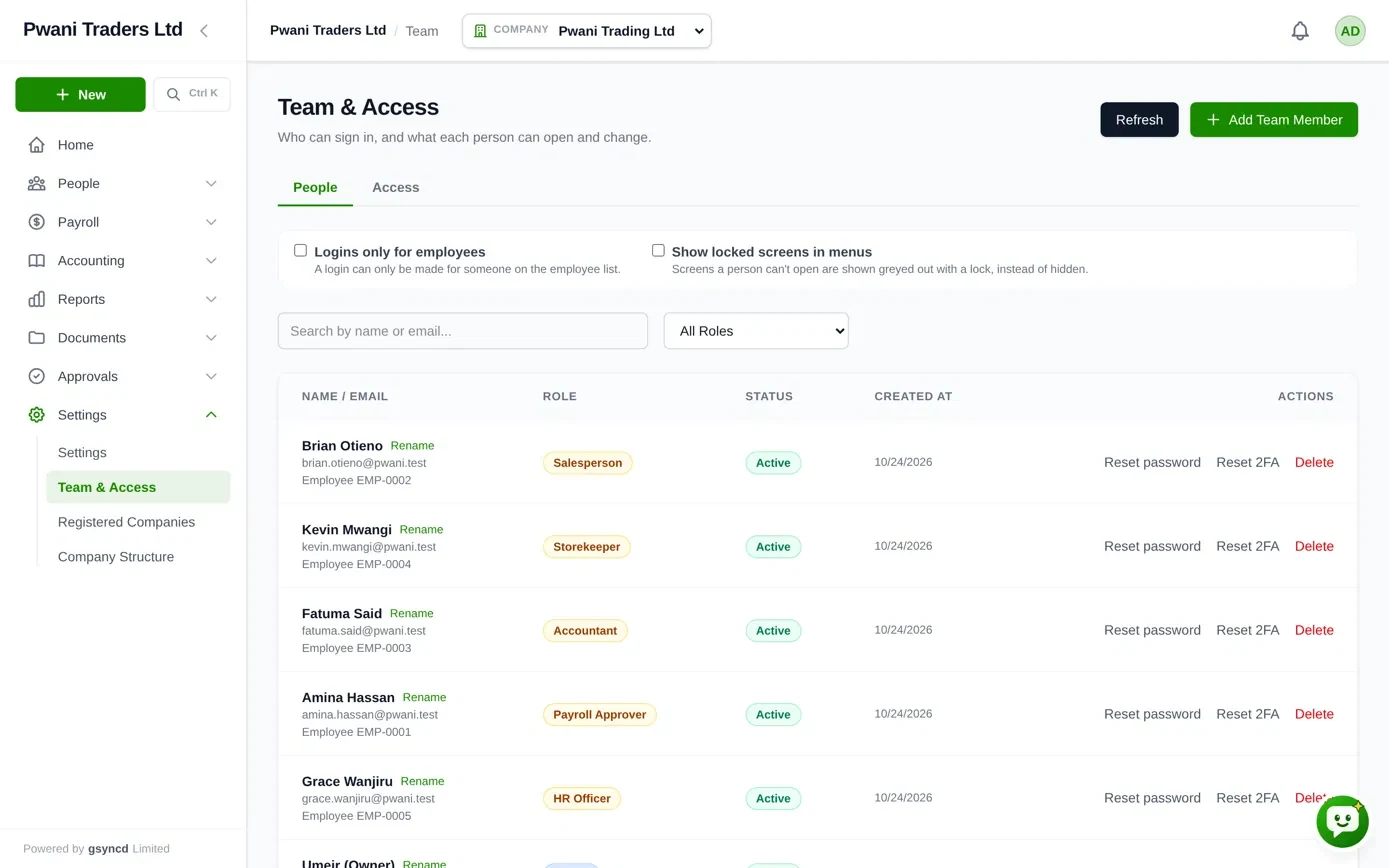
Logins belong to the account, not to one company, because the same finance manager often works for every company in the group. What each login may do comes in two kinds.
- Fixed roles for the common cases: Admin (everything), HR Maker (prepares employees and payroll), Finance Checker (approves payroll and works the money screens) and Stock Counter (stock counts only).
- Custom access for everyone else: the owner picks a level for each of eight areas (People, Payroll, Sales, Purchasing, Stock, Till, Accounting, Administration): No access, View, Work or Manage. A salesperson can work in Sales and see nothing of Payroll.
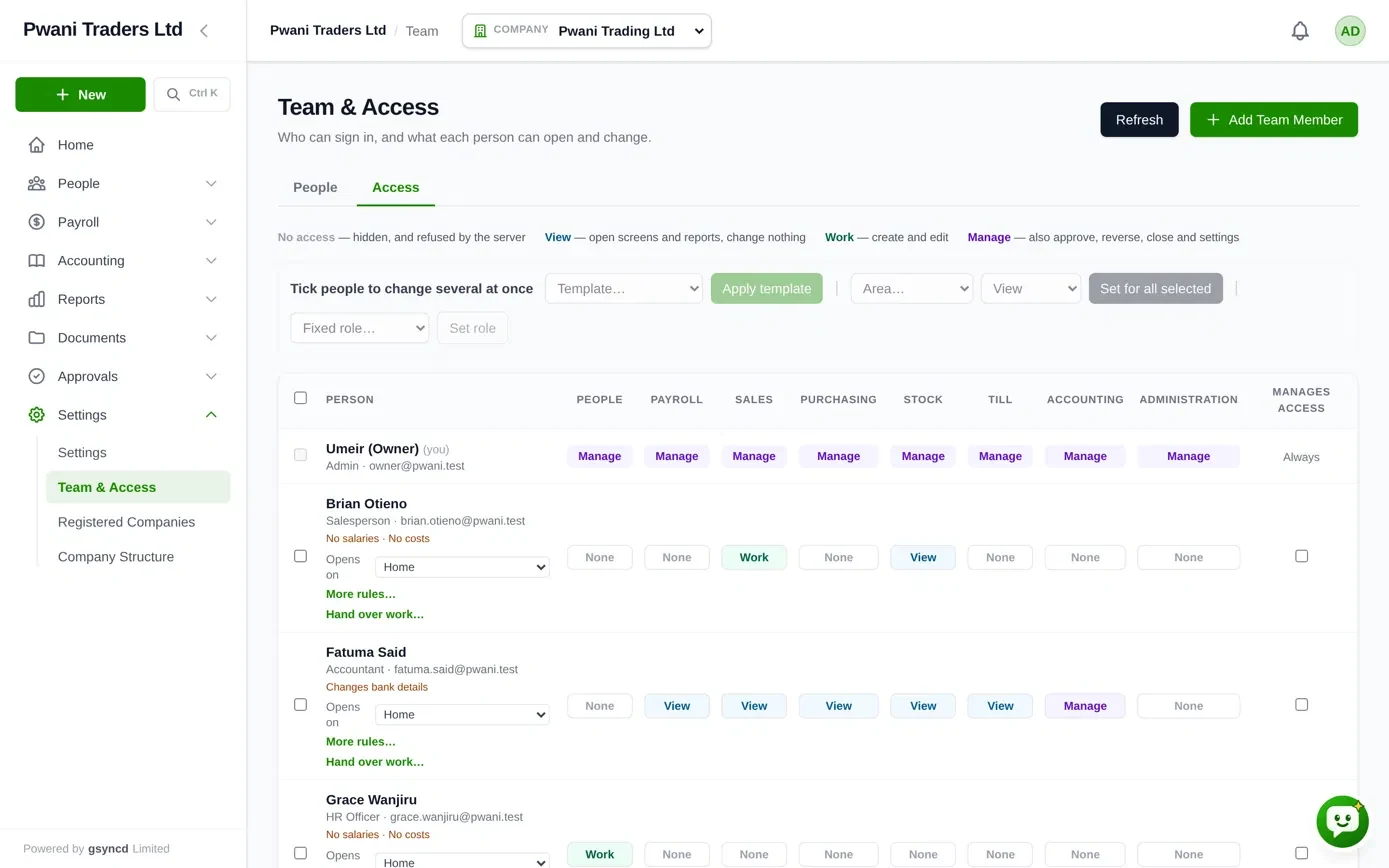
Hiding a menu item is only a courtesy. The server checks every single request against the person’s access, so a hidden screen stays closed even to someone who types its address.
Between customers, the wall sits even lower: in the database itself. Every record carries the customer it belongs to, and the database refuses to return another customer’s records, even if a bug in my own code asked for them. That’s the one that lets me sleep at night.
What I took from it
None of these rules are clever. Each one exists because the easy version gave a wrong answer that looked right: a Kenyan tax bill for a Tanzanian, a total that mixed two currencies, an October salary split across two branches. In payroll, a wrong number that looks right is the most dangerous kind, because nobody goes looking for it.
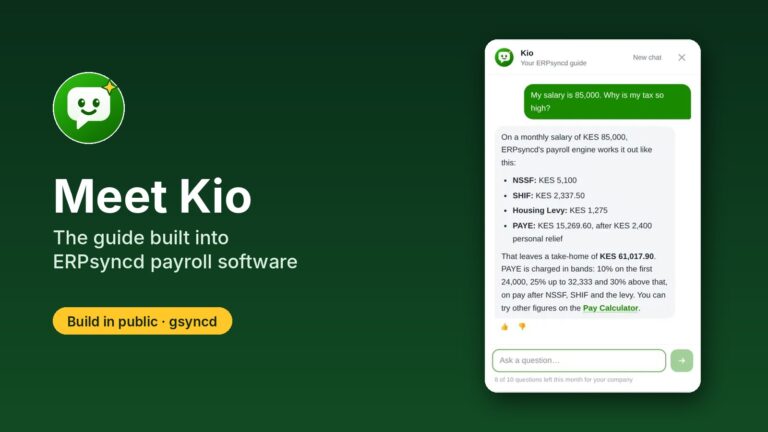
If you run a group of companies in Kenya or the region and want one payroll and HR system for all of them, have a look at ERPsyncd or book a demo. And if you build multi-company software yourself, I’d like to hear which rules you learned the hard way.
— Umeir Mohamed, founder of gsyncd. More from building ERPsyncd: meet Kio, the AI guide inside ERPsyncd, and how to calculate payroll in Kenya in 2026.