How I gave ERPsyncd a built-in guide, and what broke the first time real people used it.
The problem: clients get stuck after the demo
ERPsyncd now has more than 150 screens. Payroll, leave, attendance, sales, stock, purchasing, the till and the books all live in one system. That is the point of an ERP, and it is also its biggest weakness.
In a demo, I click straight to the right place. A week later, the client is on their own. They can’t find where to add a housing allowance. A message says “the period is closed” and they don’t know why. Half the features they paid for stay hidden, because nobody showed them where they were.
The usual answer is a support call, a WhatsApp message to me, or the 86-page manual I wrote, which nobody opens. None of those scale, and none of them help at 9 p.m. on payroll night. I wanted ERPsyncd to explain itself.
Meet Kio, the guide inside ERPsyncd

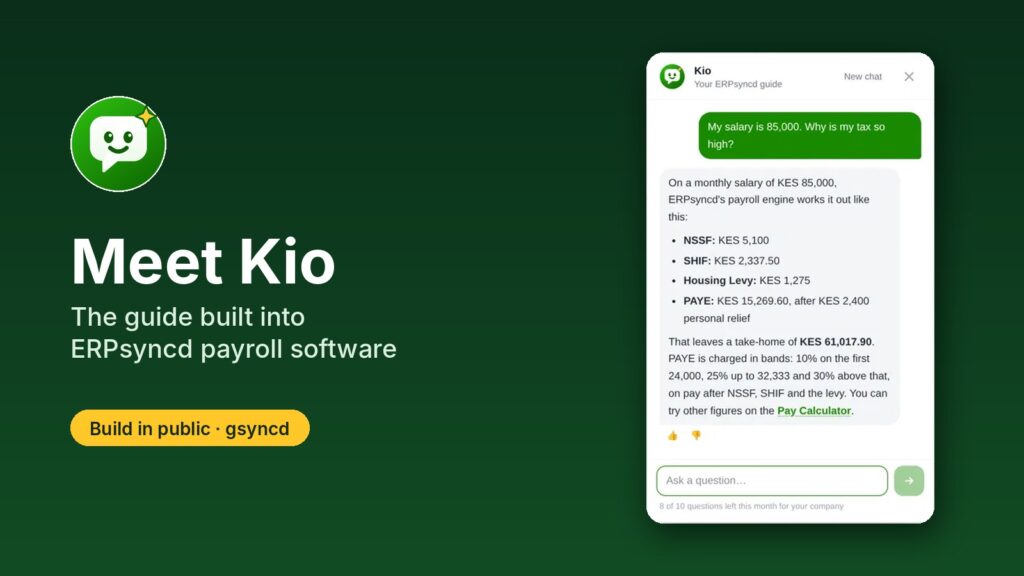
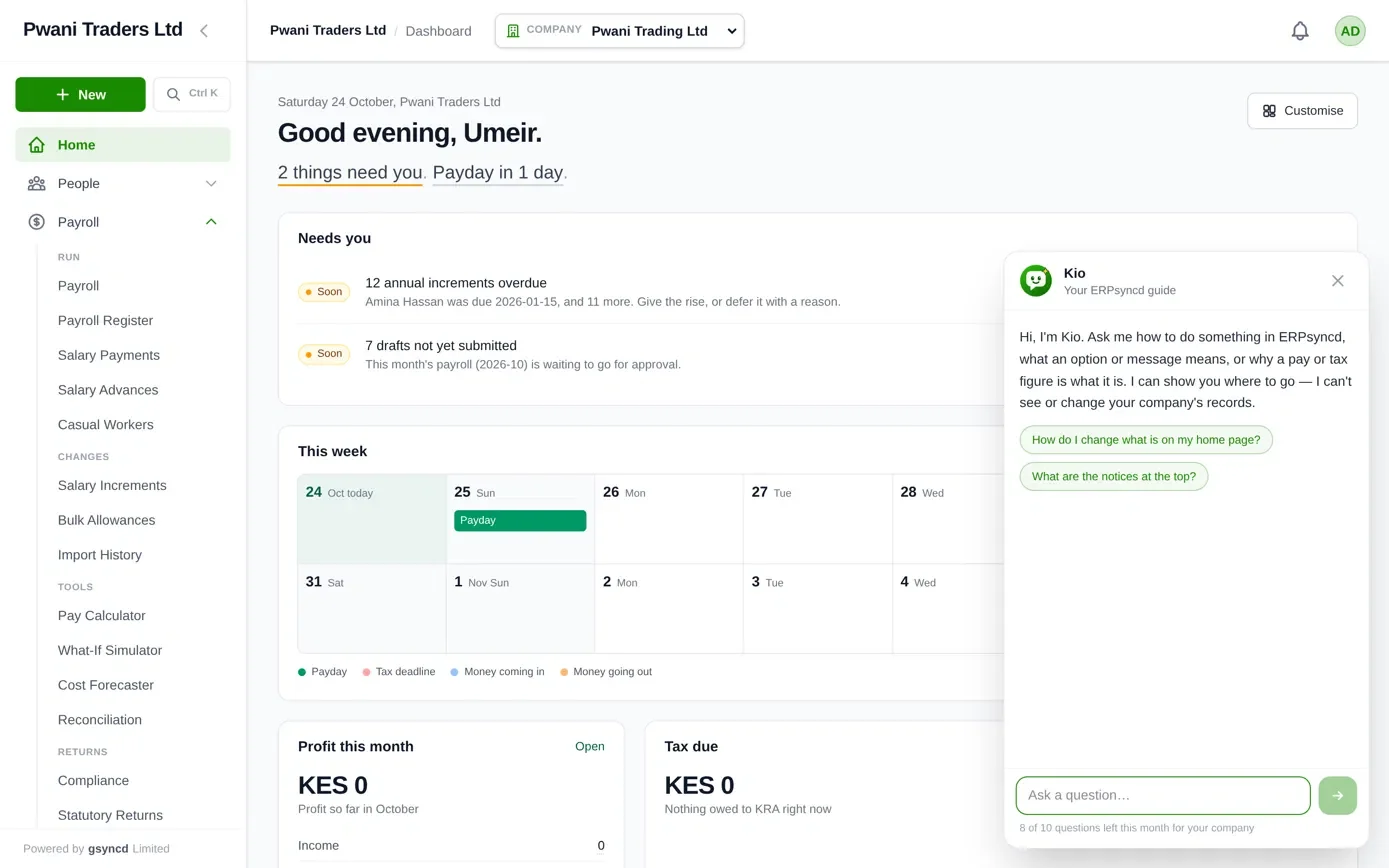
Kio is a small green button in the bottom-right corner of every screen in ERPsyncd. Click it, ask a question in plain English, and Kio tells you what to do and links you straight to the right screen.
The name comes from Swahili. Kio means mirror, and it is short for kiongozi, a guide. Both fit: Kio reflects the system back to you, and it shows you the way.
The avatar is a smiling speech bubble on ERPsyncd green. A soft glint runs across it like light on a mirror, and a small gold spark marks it as the smart one. I wanted something that reads as “friendly helper” even at 20 pixels, on a phone, in a hurry.
What you can ask Kio
Kio knows which screen you are on, so “what does this button do?” is about the screen in front of you.
| You ask | Kio does |
|---|---|
| “How do I give someone a housing allowance?” | Gives the steps, with a link that opens the right screen. |
| “It says the period is closed. Why can’t I save?” | Explains the message, why it appears, and who can reopen the month. |
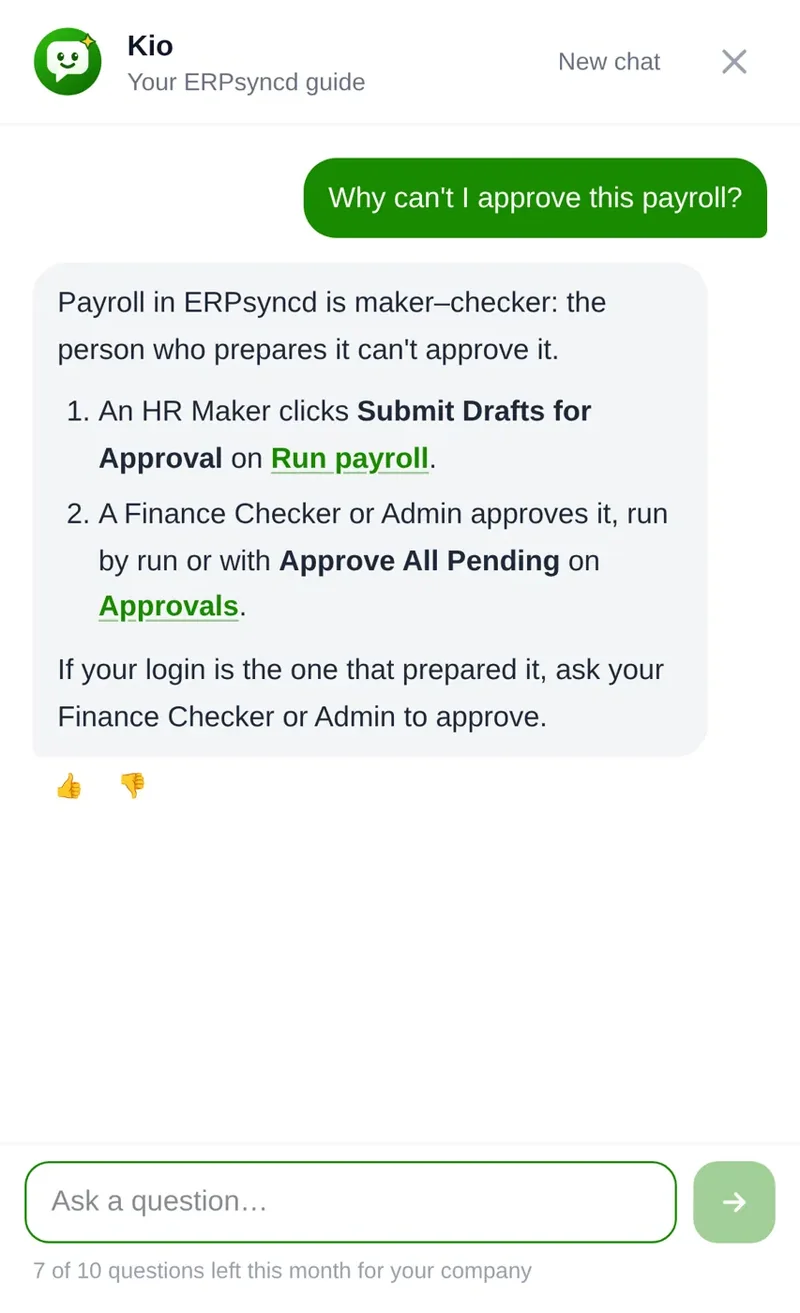
| “Why can’t I approve this payroll?” | Explains maker–checker: the person who prepares payroll is not the one who approves it. |
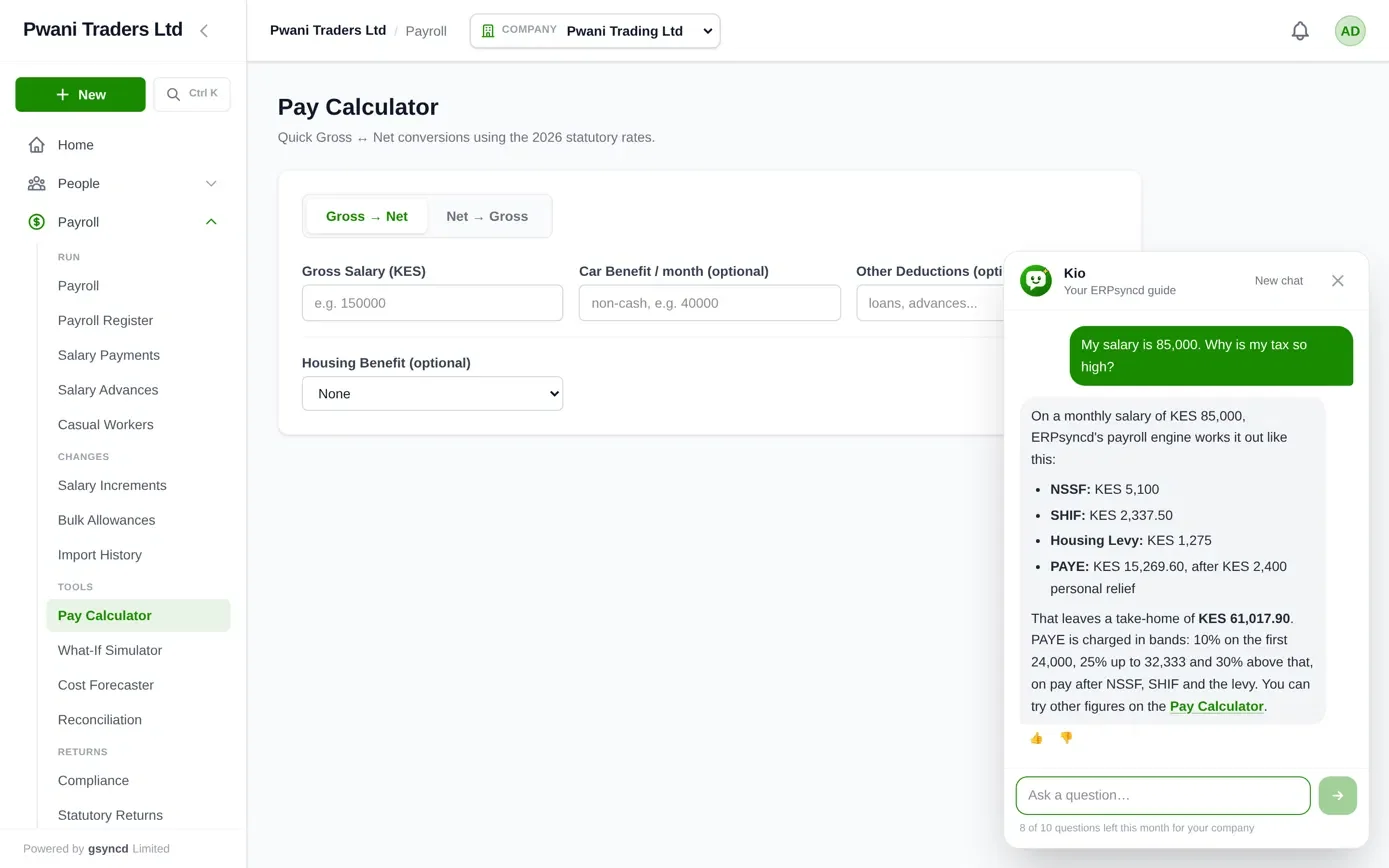
| “My salary is 85,000. Why is my tax so high?” | Runs the figure through ERPsyncd’s own payroll engine and explains PAYE, SHIF, NSSF and the Housing Levy line by line. |
| “If I add a 10,000 allowance, how much more tax?” | Prices both figures and shows the difference. |
| “Where do I download the P10 for iTax?” | Names the screen and links straight to it. |
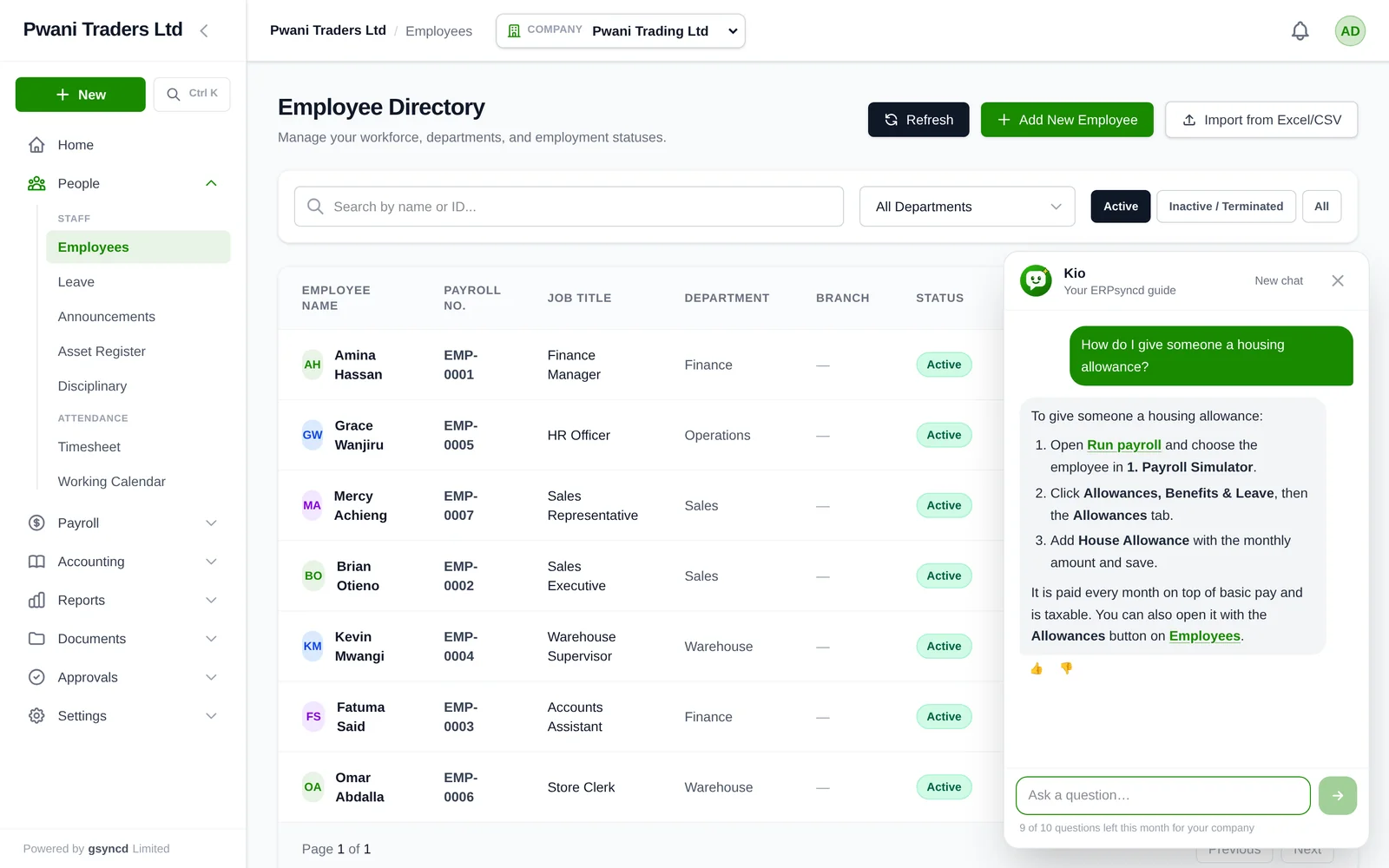
It works on a phone too, where the panel fills the screen. Every answer has a thumbs up and a thumbs down, so I can see where it helps and where it doesn’t.
How I kept an AI guide honest in a payroll system
The scariest thing an AI helper can do in a payroll system is to be confidently wrong. A wrong button is annoying. A wrong tax figure is a real problem for a real employee. So I built Kio around four rules.
- It only answers from a written guide. I wrote the guide fresh from today’s code, screen by screen, not from old notes. If the guide doesn’t cover something, Kio says so and points to support. It never invents a button or a screen.
- The payroll engine does the maths, not the AI. When you ask about tax, Kio hands your figures to the same engine that prices real payslips, using the rates set in ERPsyncd. The AI only explains the lines that come back, so a Kio answer and a payslip cannot disagree.
- No dead links. Before an answer reaches you, every link in it is checked against the screens that really exist. Anything else is removed.
- It never touches your data. Kio can’t read your employees, invoices or payslips, and it can’t change anything. It tells you where to go, and you click.
Here is rule 2 in practice. On a KES 85,000 monthly salary, Kio’s answer comes straight from the payroll engine: NSSF KES 5,100, SHIF KES 2,337.50, Housing Levy KES 1,275 and PAYE KES 15,269.60 after the KES 2,400 personal relief, leaving a take-home of KES 61,017.90. If you want to see how those numbers are worked out by hand, I walked through a full example in how to calculate payroll in Kenya in 2026, and you can try your own figures on the free gross to net salary calculator.
The guide also can’t fall behind the app. Each time I build ERPsyncd, an automatic check fails if a screen exists with no guide entry, or a guide entry points at a screen that is gone.
What broke on day one
The first real questions found problems my tests didn’t. Someone asked “How do I print an invoice?” and Kio replied “I can only help with ERPsyncd.” It had confused “I don’t have notes on this yet” with “this isn’t about ERPsyncd”. It also mentioned its own “guide sections” to the user, which nobody should ever see.
The cause was partly my search code: “invoice” didn’t match “Invoices”, so Kio never saw the Sales menu at all. I fixed the search, tightened Kio’s rules so any business question counts as an ERPsyncd question, and turned those exact questions into permanent tests. That is the build-in-public lesson: real users find the gaps in an afternoon.
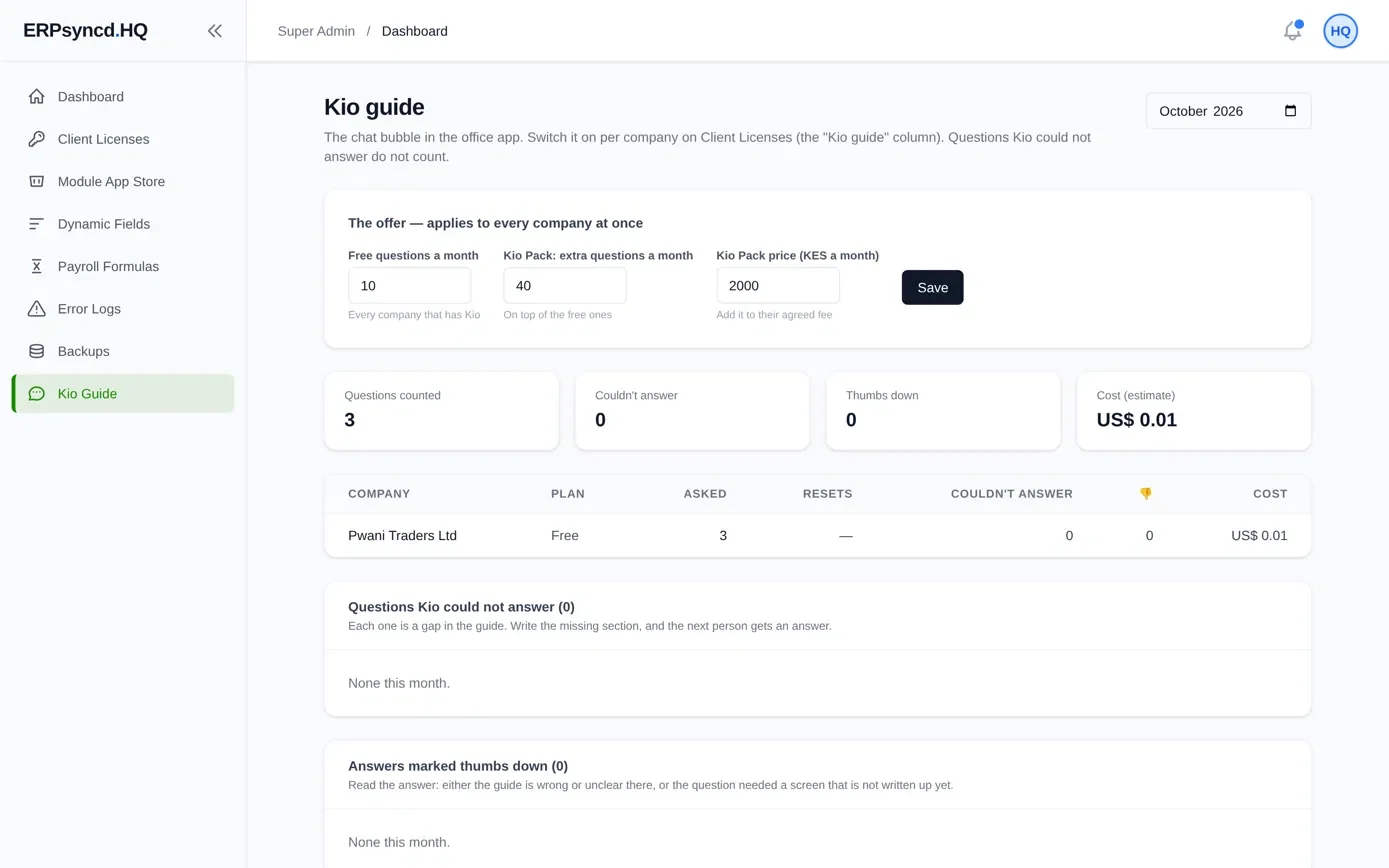
Now every question Kio can’t answer, and every thumbs down, shows up on a page only I can see. Each one is a gap in the guide. I write the missing section, and the next person gets an answer.
Who gets Kio, and what it costs
Kio is rolling out to ERPsyncd clients company by company, starting with a small group.
- Free: every company with Kio gets 10 questions a month, shared by everyone in the company.
- Kio Pack: 40 more questions a month for KES 2,000, on your normal ERPsyncd invoice.
- A question Kio can’t answer doesn’t use one up.
Today Kio knows Payroll, People, Leave, Attendance, Settings and Approvals in full. It can already tell you where everything else is. Sales, Purchasing, Stock and Accounting are being written up next.
Kio speaks English for now. Swahili is next on the list.
Why this matters to me
I build ERPsyncd for Kenyan businesses, and I can’t sit beside every client on payroll night. Kio is my way of making the system itself the person who shows you around: patient, available at any hour, and honest about what it doesn’t know.
If you run payroll, HR or the books for a Kenyan business and want to see Kio in action, have a look at ERPsyncd or book a demo. And if you build software too, I’d love to hear how you help users find their way around a big product.
— Umeir Mohamed, founder of gsyncd. You might also like what I learned building payroll software for Kenya.